
Blog
LG Washer Won’t Spin? Troubleshooting OE and UE Error Codes

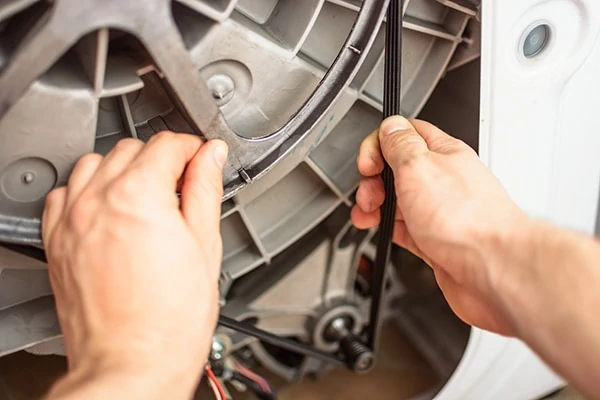
LG Washer Won’t Spin? How to Fix OE and UE Error Codes
LG washing machines are known for their Direct Drive motors and high-tech features, but even the most advanced appliances hit a snag eventually. One of the most common complaints from homeowners is an LG washer that won’t spin. You might find your clothes soaking wet at the end of a cycle, or the machine might stop mid-way through and start beeping at you with a mysterious two-letter code on the display.
In this guide, we will dive deep into why your LG washer is refusing to spin, with a specific focus on the notorious OE and UE error codes. We will provide step-by-step DIY instructions to fix these issues and help you calculate whether it’s cheaper to repair your machine or buy a new one.
Why Spinning is Essential
The spin cycle is the final stage where centrifugal force pulls water out of the fabric. If the washer doesn’t reach the required RPMs (revolutions per minute), the clothes will remain saturated, putting a massive strain on your dryer and increasing your energy bills. Understanding why the spin fails is the first step toward a cheaper utility bill and a functioning laundry room.
The Most Common Culprit: The OE Error Code (Drainage Issues)
If your LG washer won’t spin and displays the OE error code, it means the machine has detected that water is not draining. An LG washer will not enter the spin cycle if it still thinks there is water in the tub. Spinning a tub full of water at high speeds would damage the motor, so the machine shuts down as a safety precaution.
How to Fix the OE Error:
- Check the Drain Pump Filter: This is the #1 cause. Located at the bottom left of your front-load washer is a small door. Open it, use the tiny hose to drain excess water into a bowl, and then unscrew the large filter plug. You will likely find coins, hairpins, or lint clogging the pump. Clean it thoroughly and reinstall.
- Inspect the Drain Hose: Ensure the hose behind the washer isn’t kinked or pinched against the wall. A kinked hose acts like a clogged artery, preventing water flow.
- The Frozen Hose Issue: If your washer is in a garage or a very cold laundry room, the water in the drain hose may have frozen, triggering the OE code.
The “Unbalanced” Headache: The UE Error Code
Does your washer start to spin, shake violently, and then stop? You are likely seeing the UE or uE error code. This is the “Unbalanced Load” code. LG washers are very sensitive to weight distribution to protect the drum bearings.
- Small ‘u’ (uE): This means the washer is currently trying to balance the load. It will add more water and agitate to spread the clothes out.
- Capital ‘U’ (UE): This means the washer has given up. It has tried to balance the load multiple times and failed.
How to Fix the UE Error:
Open the door and manually rearrange the clothes. If you are washing a single heavy item (like a rug or a heavy blanket), add a few towels to help balance the weight. Also, use a bubble level to ensure the washing machine itself is perfectly level on the floor. If the machine is tilted, it will trigger the UE code every time.
Mechanical Failures: When It’s Not Just an Error Code
If there are no error codes but the LG washer won’t spin, you may be facing a mechanical hardware failure. Here are the parts to investigate:
1. The Door Lock Switch
For safety reasons, the washer will not spin if it doesn’t “know” the door is locked. If the door latch is broken or the sensor is faulty, the machine will simply sit idle. Check the latch for any physical damage or debris blocking the lock.
2. The Hall Sensor (Motor Sensor)
LG’s Direct Drive motors use a “Hall Sensor” to monitor the position and speed of the drum. If this sensor fails, the control board doesn’t know how fast the motor is spinning and will shut it down. A faulty Hall sensor often causes the machine to “stutter” or jerk before stopping.
3. Worn Out Tub Bearings
If your washer sounds like a jet engine taking off during the spin cycle, your bearings are failing. Once they get bad enough, the friction becomes too high for the motor to overcome, and the washer will stop spinning altogether.
LG Washer Repair Costs vs. Replacement
Repairing an LG washer can be expensive because many parts are specific to the brand. Use the table below to gauge your potential expenses.
| Part / Service | DIY Part Cost | Professional Labor Included |
|---|---|---|
| Drain Pump Filter Cleaning | $0 (DIY) | $125 – $200 |
| Drain Pump Replacement | $50 – $90 | $250 – $350 |
| Hall Sensor Replacement | $30 – $60 | $200 – $300 |
| Door Lock Assembly | $40 – $80 | $175 – $275 |
| Tub Bearings (Major Repair) | $150 – $250 | $500 – $800 |
| Main Control Board | $200 – $350 | $450 – $650 |
The Verdict: Most drain issues and sensor problems are worth fixing. However, if your tub bearings or main control board fail on a machine that is more than 6 years old, it is usually better to buy a new LG washer. Modern machines offer better water efficiency and updated “AI” wash cycles.
Hidden Feature: Using LG Smart Diagnosis
One of the best ways to troubleshoot an LG washer that won’t spin is to use the built-in Smart Diagnosis feature. Most LG washers can “talk” to the LG ThinQ app on your smartphone.
- Open the app and select “Smart Diagnosis.”
- Follow the prompts to hold your phone near the power button.
- The washer will emit a series of tones that the app “listens” to.
- The app will then give you a specific diagnosis of what part is failing.
Maintenance Tips for a Long-Lasting LG Washer
To prevent the OE and UE codes from ruining your day, follow these simple maintenance steps:
- Clean the Filter Monthly: This is the single most important task for LG owners.
- Use HE Detergent ONLY: Non-HE detergent creates too many suds, which can clog the pressure sensor and stop the spin cycle.
- Run a Tub Clean Cycle: Use a dedicated cleaner like Affresh once a month to remove lint buildup that can clog the drain pump.
- Don’t Overload: It’s tempting to wash all your bedding at once, but overloading is the primary cause of premature bearing failure and UE codes.
Frequently Asked Questions (FAQ)
Why is my LG washer spinning slowly?
A slow spin usually indicates a “sudsing” issue (using too much soap) or a motor that is struggling due to an unbalanced load. It could also be a sign that the Hall sensor is beginning to fail.
How do I reset my LG washer?
Unplug the washer from the wall. Press and hold the START/PAUSE button for 5 seconds. Plug the washer back in. This clears the memory of the control board and can often resolve temporary software glitches.
Can I wash a heavy comforter in my LG washer?
Yes, but ensure you select the “Bedding” or “Bulky” cycle. These cycles are programmed to handle the imbalance that occurs when heavy fabrics soak up water, preventing the UE code.
Conclusion
Dealing with an LG washer that won’t spin is a hassle, but it doesn’t always require a call to an expensive repairman. By checking the OE drain filter and ensuring your loads are balanced to avoid UE codes, you can solve the majority of problems in under 15 minutes.
If your DIY efforts don’t work, use the LG Smart Diagnosis tool to identify if a mechanical part like the Hall sensor or drain pump needs replacing. Knowing the costs upfront helps you decide if a repair is a smart investment or if it’s time to upgrade to a newer model. Regular maintenance is the key to keeping your laundry routine running smoothly and your clothes spinning dry.