
Blog
Why Smart Home Systems Fail During Power Cuts

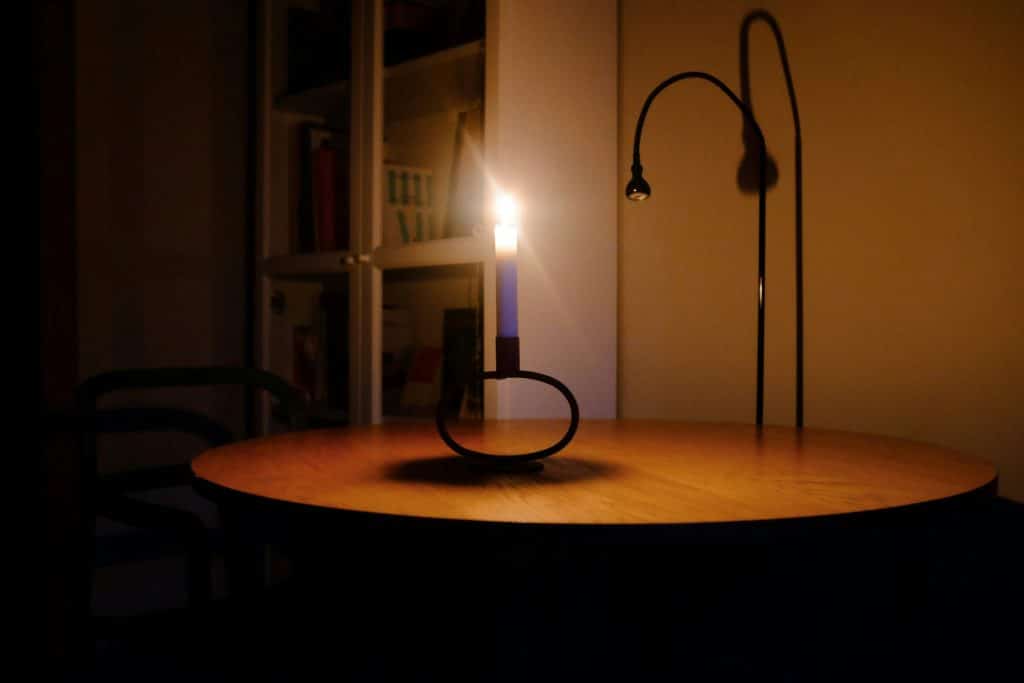
Why Smart Home Systems Fail During Power Cuts & How to Prevent Damage
The beauty of a smart home lies in its seamless automation and constant connectivity. However, this high-tech convenience has a significant Achilles’ heel: its total dependence on a stable electrical supply. Whether it is a sudden blackout or a flickering brownout, power interruptions can do more than just turn off your lights—they can cause permanent hardware failure, data corruption, and security vulnerabilities.
When the power goes out, your smart home “brain” essentially goes into an induced coma. But the real danger isn’t the lack of power; it is the moment the power returns. In this guide, we will explore why smart home systems are so vulnerable to power cuts, the types of electrical damage that occur, and the proactive steps you can take to shield your expensive automation equipment from the grid’s instability.
The Vulnerability of Smart Technology to Power Fluctuations
Traditional “dumb” appliances, like an old-fashioned toaster or a desk lamp, are relatively robust. They can handle a sudden loss of current without much fuss. Smart devices, however, are essentially miniature computers. Inside every smart bulb, switch, and camera is a delicate logic board, a Wi-Fi radio, and flash memory.
These components are designed to operate within a very narrow voltage range. When power fluctuates, these sensitive circuits can be “fried” or experience software hanging. Understanding the different types of power events will help you better protect your home:
- Blackouts: A total loss of power. While the loss of power itself rarely damages hardware, the sudden shutdown can corrupt the “handshake” between your devices and the cloud.
- Brownouts: A temporary drop in voltage. This is often more dangerous than a blackout because devices may try to compensate for low voltage by pulling more current, which leads to overheating and component failure.
- Power Surges: A sudden spike in voltage, often occurring when power is restored after a cut. This is the primary cause of “blown” smart hubs and fried security cameras.
If your devices survived a power cut but now refuse to stay online, you may be dealing with a corrupted network lease. See our guide on how to fix smart home devices that keep disconnecting for recovery steps.
Why Your Smart Home “Breaks” After Power Is Restored
Have you ever noticed that after a power cut, half of your smart lights are on, your cameras are offline, and your voice assistant is confused? This happens because of the way smart devices “boot up” simultaneously.
1. Inrush Current and Surges
When the grid comes back online, there is often a massive “surge” of electricity as the system stabilizes. This surge can overwhelm the tiny capacitors inside smart plugs and bulbs. If a surge is powerful enough, it can literally melt the internal relay, causing the device to stay permanently “On” or “Off.”
2. The “Boot-Up” Bottleneck
When power returns, every single smart device in your home tries to reconnect to the Wi-Fi at the exact same millisecond. Your router, which is also just booting up, is suddenly bombarded with dozens of connection requests. This often leads to a “DHCP conflict,” where the router fails to assign IP addresses correctly, leaving your devices in a “Disconnected” state.
To ensure your router handles this post-power-cut rush effectively, read our tips on fixing Wi-Fi issues affecting smart home devices.
3. Firmware Corruption
Smart devices often perform background maintenance or save logs to their internal memory. If the power cuts exactly while the device is writing to its memory, the software can become “bricked.” This is particularly common in smart security cameras that use local SD cards for storage.
How to Prevent Damage During Power Outages
Prevention is significantly cheaper than replacement. Here are the three most effective ways to shield your smart home from electrical damage.
Step 1: Install Whole-House Surge Protectors
Most people rely on cheap power strips with built-in surge protection. While these are better than nothing, they cannot handle a major surge from the grid. A whole-house surge protector is installed directly into your main electrical panel by an electrician. It acts as a gateway, shunting excess voltage into the ground before it ever reaches your smart switches or built-in appliances.
Step 2: Use Uninterruptible Power Supplies (UPS)
For your most critical smart home components—such as your Wi-Fi router, smart home hub (SmartThings, Hubitat), and security NVR—a UPS is mandatory. A UPS is a large battery backup that provides “clean” power. If the electricity cuts out, the UPS takes over instantly, allowing your hub to stay online or shut down gracefully. More importantly, a UPS “conditions” the power, smoothing out the tiny spikes and dips that can degrade electronics over time.
Step 3: Strategic Smart Plug Usage
If you don’t have a whole-house protector, use high-quality smart plugs that include their own overload protection. Some advanced smart plugs are designed to remain “Off” by default when power returns, preventing a massive simultaneous power draw across your home that could trip your circuit breakers.
Recovering Your System After a Power Cut
If you have just experienced a power interruption and your home isn’t responding correctly, follow this specific sequence to bring it back online safely:
- Wait for Stability: Don’t try to fix things the second the lights flicker back on. Give the grid 5 to 10 minutes to stabilize.
- Restart the Router First: Ensure your “pathway” is open. Wait for the router to fully boot and show an active internet connection.
- Power Cycle the Hub: Once the Wi-Fi is stable, restart your main smart home hub. This ensures it can find the devices as they come online.
- Manual Reboot for “Offline” Devices: For any bulbs or plugs that are still showing “Offline,” perform a manual power cycle (unplug and replug).
If a device still won’t respond after a manual reboot, it may have lost its configuration entirely. In this case, you will need to refer to how to reset and reconnect smart home devices to set them up as new.
The Danger of “Ghost Switching”
One common annoyance after a power cut is “Ghost Switching,” where lights turn on in the middle of the night after power is restored. Most smart bulbs have a setting called **”Power Loss Recovery.”** By default, many bulbs are set to turn “On” when power is restored (so you aren’t left in the dark if the app fails).
To prevent your whole house from glowing at 3 AM after a flicker, go into your bulb settings (Hue, LiFX, or Tuya) and change the “Power-on behavior” to “Last State” or “Stay Off.” This simple software tweak prevents unnecessary power usage and keeps your home’s status consistent with how you left it.
Long-Term Hardware Protection Strategies
Beyond surges and outages, “dirty power” (slight variations in frequency and voltage) can shorten the lifespan of smart devices from five years to two.
- Avoid Overloading: Never plug high-wattage appliances into a smart plug that isn’t rated for them. During a power fluctuation, an overloaded plug is significantly more likely to catch fire or melt.
- Check Your Wiring: Ensure your smart switches are properly grounded. A floating ground is a major risk factor for electronic failure during a surge.
- Battery-Backed Sensors: Use Zigbee or Z-Wave sensors that run on batteries for your critical security needs (leak sensors, motion detectors). These will continue to function and log events locally even if the main AC power is out.
Conclusion
Smart homes are a marvel of modern engineering, but their reliance on the electrical grid makes them fragile. Power cuts are an inevitability, but damage to your smart home is not. By investing in a whole-house surge protector, utilizing a UPS for your network core, and configuring your devices’ power-on behavior, you can create a resilient system that survives even the most unstable power conditions.
Treat your smart home like the sophisticated computer network it is. Proper power management doesn’t just prevent the “Offline” headache—it protects your financial investment and ensures that your home stays secure, no matter what happens with the local power grid.