
Blog
How to Repair How to Repair Smart Door Locks That Won’t Open

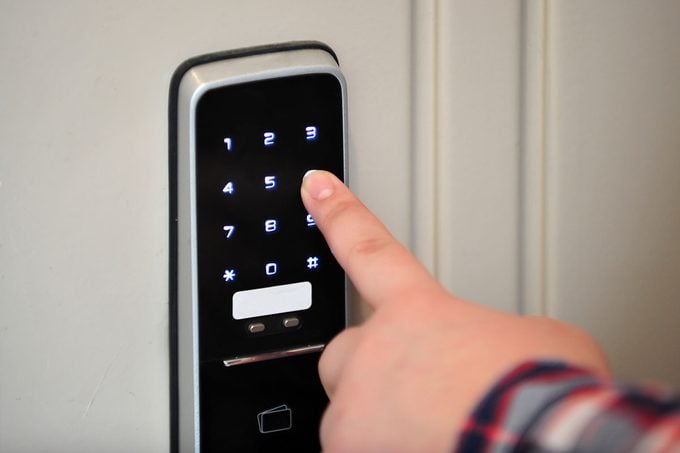
How to Repair Smart Door Locks That Won’t Open
There are few things as stressful as standing outside your own home, tapping your phone or entering a code, only to have your smart door lock refuse to budge. Smart locks offer incredible security and convenience, but because they combine mechanical hardware with complex software, there are twice as many things that can go wrong compared to a traditional deadbolt.
If your smart door lock won’t open, the cause could range from a simple dead battery to a serious mechanical misalignment. In this guide, we will walk you through the most common causes of smart lock failure and provide step-by-step solutions to get you back inside safely. We will also discuss how to maintain your lock to prevent future lockouts.
Immediate Troubleshooting: What to Do When Locked Out
If you are currently stuck outside, your first instinct might be to force the handle. Stop. Forcing a motorized smart lock can strip the internal gears, turning a simple fix into a costly replacement. Instead, try these immediate troubleshooting steps:
- Use the Manual Override: Most smart locks come with a physical keyway hidden under a decorative cap. Always keep a backup physical key in your car or with a trusted neighbor.
- Emergency Power Jump: Many modern locks (like those from Yale or Schlage) have two metal contact points at the bottom of the exterior unit. If the batteries are dead, you can hold a 9V battery against these contacts to provide enough temporary power to enter your code.
- Check the App Status: If the keypad isn’t responding, try opening the lock via the manufacturer’s app. If the app shows the device as “Offline,” you may be facing a connectivity issue rather than a mechanical one.
For more detailed advice on handling software-related failures, you might find our guide on why smart home apps stop working very useful during a lockout scenario.
Common Cause 1: Battery Depletion and Power Issues
The most frequent reason a smart lock stops working is battery failure. Unlike a remote control, a smart lock requires significant torque to throw a heavy deadbolt. Even if the keypad lights up, there might not be enough “juice” left to move the motor.
The “Low Battery” Warning Signs
Most locks will give you weeks of warning via blinking red lights or push notifications. However, if you miss these, the lock will eventually reach a state where the electronics work, but the mechanical action fails. Cold weather can also cause battery voltage to drop temporarily, leading to a sudden failure.
How to Fix It:
- Replace the batteries with high-quality, name-brand alkaline or lithium batteries. Avoid using rechargeable batteries, as they often have a lower voltage discharge that can confuse smart lock sensors.
- Check the battery terminals for corrosion. If you see white powdery residue, clean it off with a cotton swab and a tiny bit of white vinegar or lemon juice.
- Ensure the battery cover is snapped on tightly; a loose cover can cause the power to flicker during the vibration of the door closing.
Common Cause 2: Mechanical Misalignment (Jamming)
If you hear the motor grinding or struggling before it stops, you likely have a “jammed” lock. This is rarely a fault of the smart lock itself and is usually caused by the door or the door frame shifting over time.
Why Doors Misalign
House settling, humidity causing wood to swell, or loose hinges can cause the deadbolt to hit the strike plate instead of sliding smoothly into the hole. If a smart lock detects even a small amount of friction, it will retract the bolt as a safety measure to prevent the motor from burning out.
How to Repair the Alignment:
- Tighten the Hinges: Often, a sagging door is the culprit. Tighten the screws on the top hinge of your door to lift the lock side back into alignment.
- Adjust the Strike Plate: Look at the strike plate on the door frame. If you see wear marks on the top or bottom, unscrew the plate and shift it a few millimeters to center it with the bolt.
- Deepen the Dust Box: Ensure the hole in the door frame is deep enough. If the deadbolt cannot extend fully, the smart lock will report an “Error” and might not lock or unlock correctly.
Mechanical issues can sometimes be confused with electronic glitches. If your lock is aligned but still won’t sync with your network, read our article on fixing smart home devices that keep disconnecting for network-specific tips.
Common Cause 3: Internal Motor or Gear Failure
If you hear a high-pitched whirring sound but the deadbolt doesn’t move at all, the internal gears may have become disconnected or stripped. This often happens if the door has been slammed repeatedly or if the lock was forced manually while the motor was engaged.
The Fix:
This repair requires taking the lock off the door. Remove the interior mounting plate and inspect the “tailpiece”—the metal bar that connects the motor to the latch. If the tailpiece is bent or the plastic housing around the motor is cracked, the unit may need a replacement part. Many manufacturers like Kwikset or August sell individual replacement interior assemblies so you don’t have to buy a whole new lock.
Common Cause 4: Connectivity and Software Glitches
Sometimes the hardware is fine, but the “brain” of the lock is frozen. Smart locks rely on Bluetooth, Zigbee, or Wi-Fi to receive commands. If the internal software hangs, it may ignore keypad inputs or app commands entirely.
Troubleshooting the Software:
- Perform a Reboot: Most smart locks have a small reset button or require you to pull one battery out for 10 seconds to reboot the processor.
- Check the Hub: If you use a bridge (like the August Connect), ensure it is plugged in close to the door. Distance is the enemy of smart lock reliability.
- Update Firmware: Manufacturers push updates to improve motor torque management and battery life. Always keep your lock’s firmware updated via the official app.
If you find that the lock works with a code but not with your phone, the issue is likely your home’s automation ecosystem. You may want to check our guide on troubleshooting smart switches and plugs as many of the same connectivity principles apply to smart locks.
Common Cause 5: Environmental and Weather Damage
Exterior locks are exposed to rain, dust, and extreme temperatures. Over time, moisture can seep into the keypad or the fingerprint sensor, causing “ghost touches” or total unresponsiveness. Similarly, extreme heat can cause the internal lubricants to thin out, leading to increased friction.
Maintenance Tips for Longevity:
-
- Clean the Sensors: Use a microfiber cloth to wipe the fingerprint scanner and keypad. Skin oils can build up and prevent the sensor from reading your print.
- Lubricate the Deadbolt: Use a dry graphite lubricant or a silicone-based spray. Never use WD-40 or oil-based lubricants inside a lock, as they attract dust and will eventually gum up the delicate smart components.
- Check the Weatherstripping: If your door has thick weatherstripping, it might be pushing the door away from the frame, creating “side load” pressure on the bolt. You may need to trim the weatherstripping to allow the door to latch easily without being pushed.
When to Replace Your Smart Lock
If you have checked the batteries, realigned the door, and performed a factory reset, but the lock still fails intermittently, it may be a hardware defect. Most smart locks carry a 1-year warranty on electronic components and a lifetime warranty on the mechanical finish. If your lock is relatively new, contact the manufacturer’s support team before attempting a DIY internal repair, as opening the motor housing usually voids the warranty.
Summary Checklist
Before you call a locksmith, run through this final checklist:
-
-
- Is the physical switch/latch inside the house turned to the correct position?
- Have you tried a 9V battery jump-start on the exterior terminals?
- Can you hear the motor trying to move? (If yes, it’s a mechanical jam).
- Is your phone’s Bluetooth turned on and is the app updated?
-
Conclusion
Repairing a smart door lock that won’t open is usually a matter of resolving physical friction or restoring power. By ensuring your door is properly aligned and your batteries are fresh, you can eliminate the vast majority of smart lock failures. Remember that a smart lock is a precision instrument; treat it with regular maintenance, and it will provide years of secure, keyless entry for your home.